
Online Keyboard Shortcuts
OnlineShortcuts.com is a comprehensive reference for essential Windows, macOS, and Linux keyboard shortcuts to boost productivity.
Visit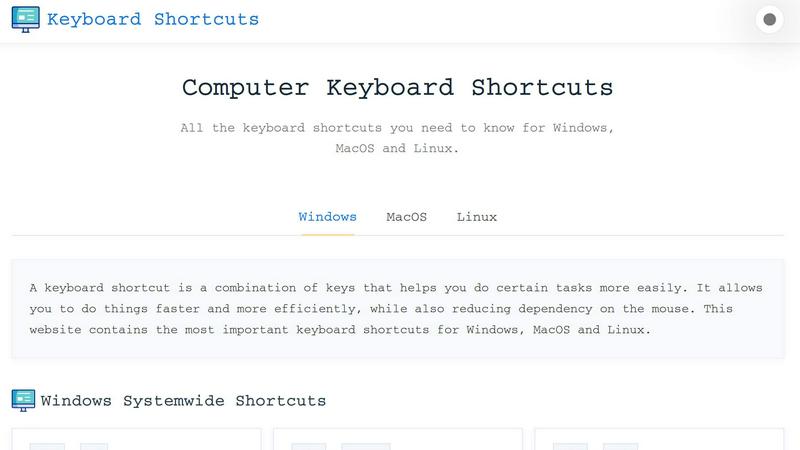
About Online Keyboard Shortcuts
Online Keyboard Shortcuts, hosted at OnlineShortcuts.com, is a comprehensive and meticulously curated reference guide designed to empower users across all major operating systems: Windows, macOS, and Linux. This resource serves as a central repository for the most essential keyboard combinations that streamline computer interactions, enabling users to execute commands faster, reduce dependency on the mouse, and significantly enhance overall productivity. The platform is built for a diverse audience, ranging from casual computer users looking to speed up routine tasks to power users, developers, and IT professionals who rely on efficiency and precision in their daily workflows. By providing systemwide shortcuts, operating system-specific key combinations like the Windows Key shortcuts, and application-specific commands for tools such as Command Prompt, File Explorer, and web browsers, the website covers a broad spectrum of functionality. The value proposition is clear: it offers a free, ad-free, and spyware-free environment where users can quickly learn, memorize, and apply the most impactful keyboard shortcuts. Additionally, the site includes downloadable cheat sheets in PDF and PNG formats, making it easy to keep these productivity tools accessible offline. With a straightforward, no-nonsense approach and a touch of humor in its frequently asked questions section, Online Keyboard Shortcuts positions itself as a reliable, user-friendly, and indispensable tool for anyone seeking to work more efficiently on their computer.
Features of Online Keyboard Shortcuts
Comprehensive Cross-Platform Coverage
The platform delivers an extensive library of keyboard shortcuts tailored specifically for Windows, macOS, and Linux operating systems. This cross-platform approach ensures that users are not limited to a single ecosystem; they can find relevant shortcuts whether they are working on a corporate Windows laptop, a creative professional’s Mac, or a developer’s Linux workstation. The content is organized clearly by operating system, allowing for quick navigation and comparison between platforms.
Systemwide and Application-Specific Shortcuts
Online Keyboard Shortcuts goes beyond basic system commands by offering detailed sections for both systemwide shortcuts and application-specific hotkeys. Users can learn how to close windows with Alt+F4 on Windows, navigate virtual desktops with Win+Ctrl+Arrow keys, or manage tabs in web browsers with Ctrl+T and Ctrl+Shift+T. This dual focus ensures that productivity gains are realized across the entire computing experience, from the desktop environment to individual software tools.
Downloadable Cheat Sheets in Multiple Formats
To facilitate learning and offline access, the website provides downloadable PDF and PNG files of the keyboard shortcut collections. Users can choose between a dark theme PNG and a light theme PNG, accommodating different visual preferences and display environments. This feature is particularly valuable for users who want to print a reference card, set it as a desktop wallpaper, or keep it handy on a mobile device for quick consultation without needing an internet connection.
User-Friendly and Ad-Free Experience
The platform is designed with a clean, distraction-free interface that prioritizes content over advertisements or upsells. It is entirely free to use, with no hidden charges, ads, or tracking spyware. This commitment to a pure user experience means visitors can focus entirely on learning shortcuts without interruptions, making it a trustworthy resource for productivity enhancement in both personal and professional settings.
Use Cases of Online Keyboard Shortcuts
Accelerating Everyday Computing Tasks
Casual users and office workers can dramatically speed up routine activities such as opening applications, switching between windows, and managing files. For instance, using Win+E to open File Explorer or Alt+Tab to cycle through open programs eliminates the need to navigate through menus or click on desktop icons, saving seconds on each action that accumulate into significant time savings over a workday.
Enhancing Developer and IT Professional Workflows
Developers and system administrators who frequently use command-line interfaces and virtual desktops benefit greatly from shortcuts like Ctrl+Shift+Esc to open Task Manager, Win+Ctrl+D to create a new virtual desktop, and F7 in Command Prompt to view command history. These shortcuts allow for faster multitasking, quicker debugging, and more efficient system management without breaking concentration by reaching for the mouse.
Streamlining Content Creation and Text Editing
Writers, editors, and content creators can leverage text editing shortcuts such as Ctrl+B for bold, Ctrl+I for italics, and Ctrl+Z for undo to format and refine their work rapidly. Combined with systemwide shortcuts like Win+Shift+S for screenshots or Win+H for voice typing, these hotkeys reduce friction in the creative process, allowing users to maintain a fluid workflow from drafting to final output.
Improving Accessibility and Reducing Physical Strain
For users with mobility impairments or those who experience repetitive strain injuries from mouse use, keyboard shortcuts offer a vital alternative for computer interaction. By mastering shortcuts like Win+L to lock the screen, Win+D to show the desktop, and Ctrl+Shift+T to reopen a closed browser tab, users can perform complex actions with minimal physical movement, reducing the risk of discomfort and promoting a more ergonomic computing environment.
Frequently Asked Questions
What is Online Keyboard Shortcuts?
Online Keyboard Shortcuts is a free, comprehensive web-based guide that catalogs essential keyboard shortcuts for Windows, macOS, and Linux operating systems. It is designed to help users of all skill levels improve their productivity by providing quick access to commonly used commands and hotkeys, reducing reliance on mouse navigation. The website is accessible at OnlineShortcuts.com and includes downloadable cheat sheets for offline use.
How do I use Online Keyboard Shortcuts?
Using the platform is straightforward. Simply browse the organized lists of shortcuts on the website, which are categorized by operating system and application type. Find the shortcut you need, memorize it, and start applying it in your daily computer use. The site also offers PDF and PNG downloads for those who prefer to have a physical or digital reference card available at all times.
Are the keyboard shortcuts updated regularly?
The shortcuts are curated to be as accurate as possible for the specified software versions at the time of compilation. However, software updates from operating system vendors and application developers can occasionally change hotkeys. Users are encouraged to verify shortcuts with their specific software version, as the site may not reflect every minor update immediately.
Is there a mobile version of the site?
Yes, the website is designed to be fully responsive and accessible on a variety of devices, including mobile phones, tablets, and desktop computers. This ensures that users can view the keyboard shortcut cheat sheets and navigate the content comfortably regardless of the screen size, making it convenient to learn shortcuts on the go.
Pricing of Online Keyboard Shortcuts
This section is intentionally omitted because no pricing information, plans, tiers, or costs are provided in the context. The product is described as 100% free software without any ads, upsells, or adtech spyware.
Explore more in this category:
Similar to Online Keyboard Shortcuts

Tally Counter is a simple online counting tool for tracking attendance, workouts, inventory, sports scores, visitors, and everyday activities.

Create once, tailor for each platform, and schedule posts across 14 social networks from one simple dashboard.

PDFWix is a free online PDF toolkit designed to make everyday PDF tasks simple, fast, and private.

Free online PDF tools to merge, compress, convert, edit, sign, and manage documents—no signup, watermarks, or daily limits.

Turn plain English into credible LinkedIn writing—or decode jargon into direct language.


