
RoomCreator
RoomCreator transforms your photos into stunning AI-designed spaces instantly, making home design accessible to everyone.
Visit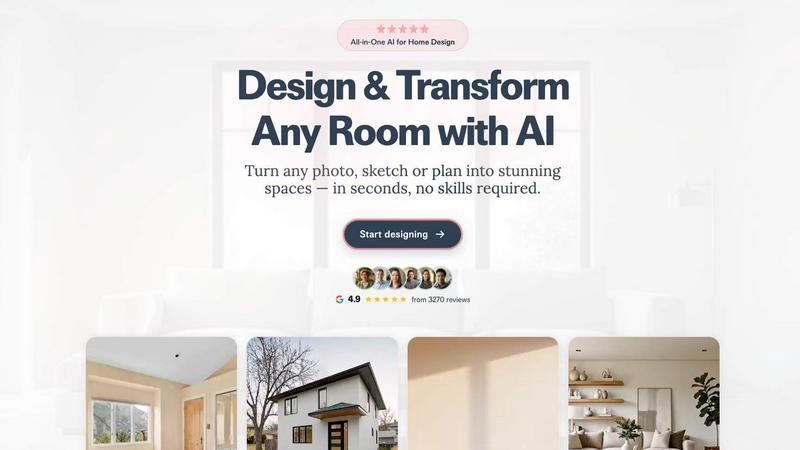
About RoomCreator
RoomCreator is an innovative AI-powered room design tool that simplifies the process of visualizing and transforming your living spaces. Whether you are a homeowner looking to renovate or a DIY enthusiast wanting to experiment with new decor ideas, RoomCreator allows you to upload a photo of any room—be it a kitchen, bedroom, or living area—and receive stunning, realistic redesigns in just 10 seconds. The platform is designed to cater to a wide audience, from individual homeowners to real estate agents and investors, providing them with the ability to visualize potential changes quickly and effortlessly. RoomCreator offers features like smart layout adjustments, instant color changes, and furniture arrangement suggestions, all without requiring any design skills. Its user-friendly interface ensures that anyone can create their dream space, making it a valuable tool for rapid renovations, staging homes for sale, or simply exploring new styles before making any purchases.
Features of RoomCreator
AI Room Design in 10 Seconds
RoomCreator leverages advanced AI technology to generate stunning room redesigns from a single uploaded photo in just 10 seconds. This rapid turnaround allows users to visualize their spaces quickly, helping them make informed design decisions without any delays.
Smart Layouts for Improved Flow
The tool provides intelligent layout suggestions that enhance the functionality and aesthetic appeal of your space. By analyzing room dimensions and existing features, RoomCreator offers optimized arrangements that improve the overall flow and usability of each area.
Instant Color and Furniture Changes
With RoomCreator, users can instantly visualize new wall colors, flooring options, and furniture arrangements. This feature allows for quick experimentation with different styles, ensuring that users can find the perfect combination that suits their taste and enhances their environment.
Realistic 3D Previews
The platform delivers hyper-realistic 3D previews of redesigned spaces, including natural lighting effects. These detailed visualizations help users see exactly how their rooms will look after changes, facilitating better decision-making and planning.
Use Cases of RoomCreator
Homeowners Seeking Renovation
Homeowners can use RoomCreator to visualize potential renovations before committing to any changes. By exploring various styles, furniture arrangements, and color palettes, they can confidently plan their redesigns and ensure they achieve their desired look.
Real Estate Agents Enhancing Listings
Real estate agents can utilize RoomCreator to create stunning visuals that make property listings stand out. By transforming empty or outdated spaces into beautifully staged interiors, agents can attract more buyers and increase interest in their listings.
Individual Investors Evaluating Properties
Investors can leverage RoomCreator to assess the renovation potential of properties they are considering for purchase. By generating realistic visuals for flips or rentals, they can present compelling investment opportunities without incurring high staging costs.
Designers Testing Concepts
Interior designers can benefit from RoomCreator by testing out design concepts quickly and efficiently. The ability to visualize different styles and layouts allows designers to refine their ideas before presenting them to clients, saving time and resources.
Frequently Asked Questions
How does RoomCreator work?
RoomCreator works by allowing users to upload a photo of their room. The AI then analyzes the image and generates realistic redesigns in various styles, enabling users to visualize changes quickly and effectively.
Do I need any design skills to use RoomCreator?
No, RoomCreator is designed for everyone, regardless of their design skills. The intuitive interface and AI-driven features make it accessible for homeowners, DIY enthusiasts, and professionals alike.
Is there a limit to the number of redesigns I can create?
Users can start with 10 free credits, which allow for multiple redesigns. After that, additional credits can be purchased to continue using the service for more complex projects and designs.
Can I use RoomCreator for exterior designs?
Yes, RoomCreator includes features specifically for exterior design, allowing users to visualize paint colors, materials, and landscaping options for their homes, enhancing curb appeal before making any changes.
Similar to RoomCreator

AI interview platform to screen resumes, run 10-language voice interviews, and rank top talent automatically.

From first scene to published 2D game, no code

Free browser-based gamepad tester for checking controller buttons, joysticks, triggers, D-pad inputs, and real-time input activity.

Tally Counter is a simple online counting tool for tracking attendance, workouts, inventory, sports scores, visitors, and everyday activities.

Free online PDF tools to merge, compress, convert, edit, sign, and manage documents—no signup, watermarks, or daily limits.

Anonymous Instagram story and profile viewer for private browsing.

Custom PHP websites, AI Indexing Pack ($599 one‑time), and WebAgentScan SaaS ($9/mo). MCP, A2A, llms.txt, full ownership.
