

Alternatives to MCPize
MCPize is a marketplace where developers discover, install, and manage over 1,000 premium MCP servers while publishers earn 80% revenue share.
Explore 20 alternatives to MCPize. Compare features, pricing, and find the best fit for your needs.
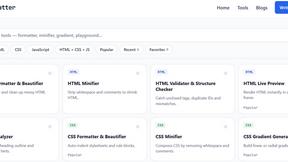
JoMatter
Jomatter provides free online tools for HTML, CSS, and JavaScript developers, helping simplify common web development and coding tasks.

ogimagegenerator.dev
Paste a URL and AI designs on-brand Open Graph images from your page's colours, fonts and logo. Free, no sign-up.


Vim.is
Vim.is is a simple online tool that helps you learn and practice Vim keyboard shortcuts quickly.

Ecommerce Data API
Amazon research data APIs for developers, sellers and AI agents. Integrate product, keyword and market research through REST APIs and MCP.


stackledge
Discover verified SaaS, practical AI tools, and custom n8n workflows on an architecture-first discovery platform built for modern builders.

Product Launch Checklist
A free launch checklist for SaaS, apps, AI tools and more. Every step says why it matters and when you can skip it.

Screen Issues
Free online screen test — diagnose dead pixels, lines, color issues & flicker. No download.
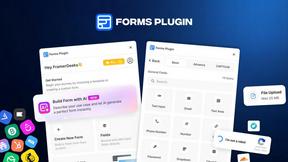
Forms Plugin
The #1 Native Form Builder Plugin for Framer - No Code, No Embeds, No External Platforms.

Chatit Me - Free Random Chat Alternative
Chat with random strangers online for free on ChatIt.me. Enjoy safe, anonymous, and instant 1-on-1 conversations with people worldwide

VidhyaGen
Fast, free, and privacy-first browser tool to convert, crop, resize, and compress images locally without server uploads.


Wikawe
Wikawe is a privacy-first Document OS with powerful PDF & document tools, built to keep your files under your control.

ContextBolt
MCP servers that give Claude and Cursor the data they can't reach. Your saved posts, live SEO data, asked in plain English.


xDevTools
1000+ browser-based developer utilities for formatting, encoding, crypto, and testing. All processing runs locally.

Ornold
Ornold MCP lets AI agents control Chromium and antidetect browsers: click, type, read screens, record workflows, replay profiles without scripts.

AIQualityHQ
AIQualityHQ instantly evaluates and improves your AI prompts with deterministic scores and actionable fixes across six key quality dimensions.
About MCPize Alternatives
MCPize is a specialized marketplace and management platform for Model Context Protocol (MCP) servers, positioning itself as a central hub within the Dev Tools category for developers building or integrating with AI agents. It streamlines the discovery, installation, and monetization of MCP servers, offering a vetted library of over 1,000 tools that connect AI applications like Claude and Cursor to external data sources and services. Users commonly seek alternatives to MCPize for a variety of reasons, including a need for more granular control over server deployment, a desire for different pricing structures that better align with low-volume usage, or a preference for open-source ecosystems where they can self-host and customize servers without platform dependency. When evaluating alternatives, it is crucial to consider the specific needs of your AI workflow. Key factors include the breadth and quality of the server catalog, particularly how well it covers the tools and APIs you rely on. You should also assess the deployment model, whether you require a fully managed service with a unified billing system or prefer the flexibility of self-hosting your own MCP servers. Security and compliance are equally important; look for platforms that offer transparent vetting processes, robust authentication mechanisms like OAuth, and clear data handling policies to ensure your agentic workflows remain safe and reliable.
FAQs about MCPize Alternatives
What is MCPize?
MCPize is a complete platform and marketplace for Model Context Protocol (MCP) servers, designed to connect AI agents with the tools they need. It functions similarly to an app store for AI, featuring over 1,000 vetted MCP servers that integrate with popular AI tools like Claude, Cursor, and ChatGPT. The platform provides a unified API key, consolidated billing, and a single dashboard for managing usage and costs.
Who is MCPize for?
MCPize is built for both developers who publish MCP servers and end-users who consume them. For developers, it offers a launchpad to deploy new servers in about 30 seconds via GitHub auto-deploy while retaining 80% of subscription revenue. For users, including solo developers and large teams, it simplifies the process of integrating multiple AI tools by providing a single access point and billing system.
Is MCPize free?
Yes, MCPize offers a generous free tier that includes 25,000 requests per month with no credit card required. This allows users to explore the marketplace and integrate MCP servers into their workflows without any upfront commitment. Beyond the free tier, users can access paid subscription plans that offer higher request limits and additional features.
What are the main features of MCPize?
Key features include a marketplace of over 1,000 vetted MCP servers that undergo a rigorous 7-dimension quality audit for protocol compliance, OAuth security, and reliability. Developers benefit from GitHub auto-deploy for rapid publishing and an 80% revenue share. Users get one unified API key, one consolidated bill, and a dashboard to track usage, costs, and set alerts, simplifying the management of multiple AI tool integrations.