

Alternatives to QuickTextTools
QuickTextTools provides 76+ free online utilities to enhance productivity and optimize text for writers, SEO, and creators effortlessly.
Explore 20 alternatives to QuickTextTools. Compare features, pricing, and find the best fit for your needs.
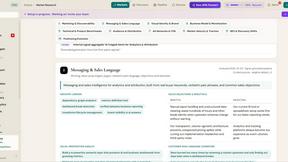
ROIpad
ROIpad delivers live competitive intelligence for SaaS teams. Track competitor moves and market signals to uncover messaging angles that drive revenue

Hishab
All-in-one POS, inventory, accounting and HR software for Bangladeshi SMEs — real-time sales, stock and finance in one place.

Noter AI
AI meeting notes, transcripts, summaries and action items on iPhone, iPad and Android.
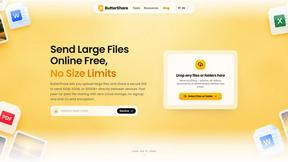
ButterShare
ButterShare is a browser-based peer-to-peer file transfer tool that lets you send large files and folders directly between devices without signup or c

LightScreen
Free light screen tool online. Turn any display into a flashlight, ambient light, or solid-color screen. No download or sign-up.
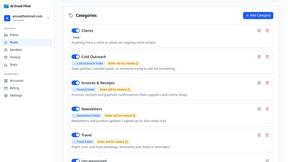
AI Email Filter
AI Email Filter sorts incoming mail into folders using plain-language prompts you write. Works with any IMAP mailbox; bring your own LLM if you want.

Leads Reddit
LeadsReddit helps founders, marketers, and sales teams find people on Reddit who are actively looking for what they sell. Instead of scrolling through

Interview Screener- interview platform
AI interview platform to screen resumes, run 10-language voice interviews, and rank top talent automatically.

Product Launch Checklist
A free launch checklist for SaaS, apps, AI tools and more. Every step says why it matters and when you can skip it.

Kody Tools
Free collection of online developer utilities, code formatters, and digital converters designed to streamline your daily workflow.

99x Prompts | 50k+ AI Prompts
Discover 50,000+ ready-to-use AI prompts for text, image, and video generation. Save time and create better results with AI.
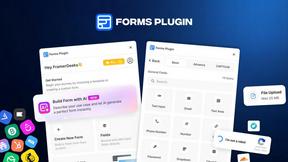
Forms Plugin
The #1 Native Form Builder Plugin for Framer - No Code, No Embeds, No External Platforms.


tallycounterweb.com
Tally Counter is a simple online counting tool for tracking attendance, workouts, inventory, sports scores, visitors, and everyday activities.

iHatePosting
Create once, tailor for each platform, and schedule posts across 14 social networks from one simple dashboard.
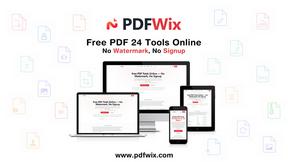
PDFWix
PDFWix is a free online PDF toolkit designed to make everyday PDF tasks simple, fast, and private.
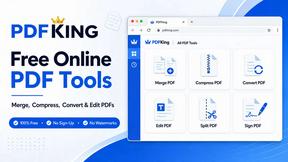
PDFKing
Free online PDF tools to merge, compress, convert, edit, sign, and manage documents—no signup, watermarks, or daily limits.
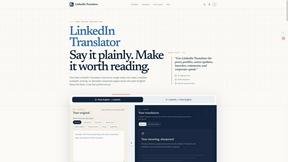
LinkedIn Translator
Turn plain English into credible LinkedIn writing—or decode jargon into direct language.

About QuickTextTools Alternatives
QuickTextTools is a versatile online platform that falls under the category of productivity and management tools, specifically tailored for writers, marketers, developers, students, SEO professionals, and content creators. With over 76 free utilities, it offers a comprehensive suite of tools designed to enhance productivity and streamline various tasks such as text formatting, SEO analysis, keyword management, and more. Users appreciate the simplicity and efficiency of QuickTextTools, which operates directly within the browser, making it accessible and user-friendly. Despite its numerous benefits, many users seek alternatives to QuickTextTools for various reasons, including pricing, feature sets, and specific platform requirements. When exploring alternatives, it's crucial to consider factors such as the range of tools offered, ease of use, integration capabilities, and the overall user experience. Additionally, assessing whether an alternative prioritizes privacy and security can help ensure a safe and efficient workflow. By evaluating these aspects, users can find a tool that best meets their unique needs and enhances their productivity.
FAQs about QuickTextTools Alternatives
What is QuickTextTools?
QuickTextTools is a free online platform designed to enhance productivity for a variety of users, including writers, marketers, developers, and SEO professionals. It features over 76 browser-based utilities that simplify tasks such as text formatting, SEO analysis, and keyword management. The user-friendly interface allows individuals to access and utilize these tools without the need for complicated installations.
Who is QuickTextTools for?
QuickTextTools is designed for a wide range of users, including writers, marketers, students, developers, and SEO professionals. It caters to anyone looking to enhance their productivity and optimize their text-related tasks. The platform's diverse toolset makes it suitable for both casual users and professionals seeking to streamline their workflows.
Is QuickTextTools free?
Yes, QuickTextTools is completely free to use, offering over 76 utilities without any hidden fees or subscription costs. Users can access all features and tools directly from their browser without the need to create an account or download software. This makes it a cost-effective solution for individuals and teams looking to improve their productivity.
What are the main features of QuickTextTools?
QuickTextTools offers a variety of features designed to enhance productivity, including text formatting tools, SEO analysis utilities, writing assistants, and keyword management tools. These utilities help users streamline their writing processes, analyze web content for SEO best practices, and efficiently manage keyword lists. The platform's focus on user-friendliness and privacy ensures a secure and hassle-free experience.