
Clean Image AI-Powered Photo Cleanup
Clean Image is a private AI photo cleanup tool that removes text, logos, and objects locally in your browser using ONNX Runtime and OpenCV LaMa.
Visit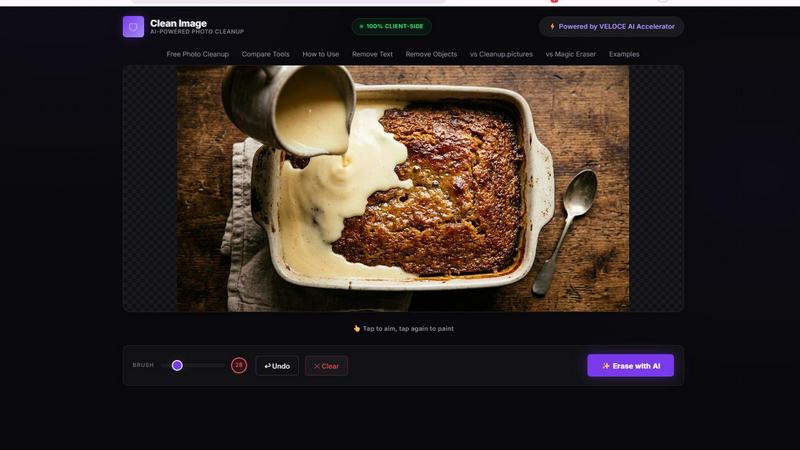
About Clean Image AI-Powered Photo Cleanup
Clean Image AI-Powered Photo Cleanup is a revolutionary browser-based tool that leverages artificial intelligence to remove unwanted elements from your photographs with remarkable precision. Unlike traditional photo editing software that requires complex manual work, Clean Image uses advanced inpainting algorithms to intelligently reconstruct areas you want to erase. The tool is designed for a wide range of users including content creators, marketers, photographers, social media managers, and anyone who needs to quickly clean up images without the hassle of learning professional editing software.
The core value proposition of Clean Image is its uncompromising commitment to privacy and accessibility. All processing happens entirely within your browser using ONNX Runtime Web and WebAssembly technologies. This means your images never leave your device, eliminating any concerns about data security or unauthorized access. There are no uploads, no accounts to create, and no subscriptions to manage. The tool is completely free for personal projects.
Clean Image excels at removing text overlays, logos, date stamps, watermarks, and small blemishes from images with clean backgrounds. The AI model, powered by OpenCV LaMa, analyzes the surrounding pixels of the area you brush over and reconstructs it seamlessly. The tool is optimized for performance, with the AI model caching in your browser after the first load for instant future use. With its intuitive brush and erase interface, Clean Image makes photo cleanup accessible to everyone regardless of technical skill level.
Features of Clean Image AI-Powered Photo Cleanup
100 Percent Client-Side Privacy
Clean Image processes all image data entirely within your browser using ONNX Runtime Web and WebAssembly. This architecture ensures that your images never leave your device, are never transmitted over the internet, and are never stored on any external server. The privacy-first design is ideal for handling sensitive or confidential images where data security is paramount. You can clean up personal photos, business documents, or proprietary visual content with complete peace of mind, knowing that no third party has access to your files. This feature eliminates the common concerns associated with cloud-based image editing tools.
Advanced AI Inpainting with LaMa Model
The tool utilizes the sophisticated OpenCV LaMa neural network for image inpainting. When you brush over an area you want to remove, the AI analyzes the surrounding pixels, textures, colors, and patterns to intelligently reconstruct the masked region. The LaMa model is specifically designed for high-quality image completion, making it exceptionally effective at removing text, logos, date stamps, and small blemishes. The AI fills in the erased areas with contextually appropriate content, creating natural-looking results that blend seamlessly with the rest of the image. This technology eliminates the need for manual cloning or healing tools.
Instant Performance After Initial Load
Clean Image is powered by the VELOCE AI Accelerator, which optimizes the loading and execution of the AI model. The first time you use the tool, the approximately 89 MB AI model downloads and caches in your browser. On subsequent visits, the model loads instantly with zero additional data usage. This caching mechanism ensures that you can start cleaning images immediately without waiting for downloads. The local processing also means there is no latency from server communication, providing a smooth and responsive editing experience. The tool is designed for efficiency, making it practical for both quick edits and batch processing.
Simple Brush and Erase Interface
The user interface is designed for maximum simplicity and accessibility. You simply use a brush tool to paint over any unwanted elements in your image, including text overlays, branding, timestamps, watermarks, or small objects. After marking the areas, you click the Erase button, and the AI processes the selection. The interface provides clear visual feedback, allowing you to see exactly which areas are selected for removal. This straightforward workflow eliminates the steep learning curve associated with professional editing software, making the tool usable by anyone regardless of their technical background. The brush size can be adjusted for precision work on different elements.
Use Cases of Clean Image AI-Powered Photo Cleanup
Removing Watermarks and Logos from Reference Images
Content creators, researchers, and designers often need to use reference images that contain distracting watermarks, logos, or branding elements. Clean Image allows you to quickly remove these unwanted marks while preserving the underlying image quality. For example, a graphic designer can clean up a stock photo preview that has a watermark overlay, or a blogger can remove a logo from a screenshot taken from a website. The AI inpainting technology ensures that the area where the watermark was located is reconstructed with appropriate surrounding pixels, resulting in a natural-looking image suitable for personal reference or inspiration boards.
Cleaning Up Screenshots with Date Stamps and UI Elements
Professionals who frequently take screenshots for documentation, tutorials, or presentations often need to remove date stamps, timestamps, or extraneous user interface elements. Clean Image makes this process effortless. A technical writer can remove the date and time from a screenshot of a software interface, or a social media manager can clean up a screenshot of an app that shows notification badges. The tool is particularly effective on screenshots with clean backgrounds, where the AI can accurately reconstruct the areas behind text overlays. This use case saves significant time compared to manual editing in traditional photo software.
Removing Unwanted Text from Product Photos
E-commerce sellers, marketers, and product photographers frequently work with product images that contain unwanted text, such as promotional stickers, price tags, or foreign language labels. Clean Image enables you to quickly remove this text while maintaining the visual integrity of the product photo. For instance, an online retailer can remove a promotional sticker from a product image before uploading it to their store, or a marketer can clean up a product shot that has a competitor's logo in the background. The AI model excels at reconstructing clean backgrounds behind text, making this use case highly effective for professional product photography.
Erasing Small Blemishes and Imperfections from Personal Photos
For personal photography enthusiasts and social media users, Clean Image provides a simple way to remove small blemishes, dust spots, or minor imperfections from images. Whether you want to remove a stray hair from a portrait, a dust speck from a landscape photo, or a small scratch from a scanned image, the AI inpainting tool can handle these tasks with minimal effort. The brush interface allows you to precisely select the blemish, and the AI reconstructs the area using surrounding pixel data. This use case is perfect for quick touch-ups before sharing photos on social media or printing them for personal albums.
Frequently Asked Questions
What types of images are supported by Clean Image?
Clean Image supports common image formats including PNG, JPG, and WebP files. The tool works best on images with clean, uniform backgrounds where text, logos, or small blemishes are present. For optimal results, the background around the unwanted element should have consistent colors and textures. Images with complex, highly detailed backgrounds may produce less satisfactory results. The tool is designed for removing discrete elements such as text overlays, logos, date stamps, watermarks, and small blemishes rather than large objects or entire subjects.
Is Clean Image truly free to use?
Yes, Clean Image is completely free to use for personal projects. There are no hidden fees, subscription charges, or pay-per-use models. The tool does not require you to create an account or provide any personal information. You simply visit the website, upload or drop your image, and start editing. The free access is made possible by the efficient client-side processing architecture, which eliminates server costs. The tool is designed to be accessible to everyone, from casual users to professionals who need a quick cleanup solution without financial commitment.
Does Clean Image store or share my images?
No, Clean Image does not store or share your images under any circumstances. All image processing happens entirely within your browser using ONNX Runtime Web and WebAssembly technologies. Your images never leave your device, are never transmitted over the internet, and are never uploaded to any server. This privacy-first architecture ensures that your data remains completely confidential and under your control. Once you close the browser tab, the processed image exists only on your device if you choose to download it. This makes Clean Image ideal for handling sensitive, proprietary, or personal images.
How does the AI inpainting technology work?
Clean Image uses the OpenCV LaMa neural network, which is a state-of-the-art model for image inpainting. When you brush over an area you want to remove, the AI analyzes the surrounding pixels including colors, textures, patterns, and structural elements. The neural network then reconstructs the masked area by generating new pixel data that matches the surrounding context. The LaMa model is specifically trained to handle large missing regions and produce coherent, natural-looking results. The AI works best on areas with predictable backgrounds, such as text on a solid color surface or logos on a uniform texture.
Explore more in this category:
Similar to Clean Image AI-Powered Photo Cleanup

Free online screen test — diagnose dead pixels, lines, color issues & flicker. No download.

Chat with random strangers online for free on ChatIt.me. Enjoy safe, anonymous, and instant 1-on-1 conversations with people worldwide

EffectSnap is a free online motion graphics toolkit for video editors. Create, customize, and export eye-catching motion effects, animations, transiti

Fast, free, and privacy-first browser tool to convert, crop, resize, and compress images locally without server uploads.

AI-native presentation and visual content platform that turns prompts, documents, images, videos, and data into polished, shareable decks.

Free AI anime wallpaper generator. Create original HD anime wallpapers and avatars from text prompts.

Create product videos manually or let your AI agent control Screen Beaver through MCP—no mouse or keyboard needed.
