

Alternatives to Tagada
Tagada parses Gmail into clickable sentences for local highlighting and categorizing, keeping your data private and boosting email efficiency.
Explore 20 alternatives to Tagada. Compare features, pricing, and find the best fit for your needs.

LinkedIn Translator
Turn plain English into credible LinkedIn writing—or decode jargon into direct language.


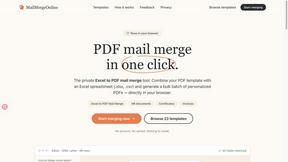
PDF Mail Merge Online
PDF Mail Merge Online is an in-browser tool that combines PDF templates with Excel or CSV spreadsheets to generate personalized PDFs.

AIInLink
AIInLink is a curated platform to discover and submit AI tools, SaaS products, and maker projects, with a unique focus on "vibe coding."

VideoToScript
Turn TikTok, Reels, Shorts, Facebook videos, audio, and video into accurate timestamped transcripts with TXT, SRT, and VTT exports.

Screen Beaver
Create product videos manually or let your AI agent control Screen Beaver through MCP—no mouse or keyboard needed.

Fill PDF from Sheet
Fill PDF from Sheet automates the process of populating PDF forms from data in Excel, CSV, or Google Sheets.

ContextBolt
MCP servers that give Claude and Cursor the data they can't reach. Your saved posts, live SEO data, asked in plain English.


Create PDF from Excel
Create PDF from Excel online and preview every page before downloading. Fit wide sheets, repeat headers, and combine workbooks privately.



Wisegrid
Spreadsheet-native work management with AI formulas, dashboards, automation, reporting, and project views for growing teams.


Postqued
Schedule and publish social content across 10 platforms with one dashboard, API, and MCP built for teams and AI agents.
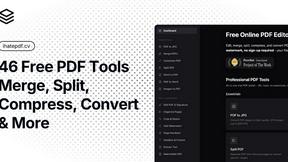
ihatepdf.cv
ihatepdf.cv is a privacy-first, browser-based PDF platform that provides an extensive suite of tools for editing, converting, compressing, organizing,

Cachely
Managed remote build cache for Nx, Lerna, Turbo, Gradle, and Bazel. Reuse artifacts across CI and developer machines.
About Tagada Alternatives
Tagada is a browser extension designed for Gmail that falls under the productivity and email management category. Its core function is to parse incoming emails into clickable sentences, allowing users to highlight, tag, and organize information by category directly within their inbox, all while processing data locally without sending it to the cloud. Users commonly look for alternatives to Tagada due to various reasons, including budget constraints, a need for different feature sets such as team collaboration tools or mobile app support, or a desire for integration with other platforms outside of Gmail. Others may seek solutions that offer advanced AI-powered suggestions or more comprehensive email analytics that go beyond local processing. When choosing an alternative to Tagada, it is crucial to first evaluate your primary workflow needs, such as whether you require local data processing for privacy or if you are comfortable with cloud-based solutions for enhanced features. You should also consider the specific email platform you use, as many tools are exclusive to Gmail, while others support Outlook or other clients. Additionally, assess the learning curve and how the tool integrates into your existing routine; the best alternative will minimize disruption while effectively reducing your response time and helping you structure long email threads. Finally, examine the pricing model to ensure it aligns with your budget, whether you are an individual freelancer or part of a larger support team.
FAQs about Tagada Alternatives
What is Tagada?
Tagada is a browser extension for Gmail that transforms how you read and reply to emails by parsing them into clickable sentences. It allows you to highlight, tag, and organize these sentences by category with a single click, then generates a clean reply template based on your selections. All processing happens 100% locally on your device, meaning no data is sent to the cloud or third-party servers.
Who is Tagada for?
Tagada is ideal for professionals, support teams, freelancers, and consultants who manage long email threads and need to respond faster and more clearly. It is also well-suited for anyone who values data privacy and wants to avoid sending their email content to external AI or cloud services. The tool is designed to help users structure their replies without learning a new platform, as it works directly inside Gmail.
What are the main features of Tagada?
Key features include instant parsing of emails into selectable sentences, one-click highlighting and tagging by category, and auto-generated reply templates built from your selections. Tagada operates with 100% local processing, meaning no AI, no cloud, and no third-party servers are involved. It works directly inside Gmail, requiring no new tools or interfaces to learn.
Is Tagada secure?
Yes, Tagada is highly secure because it processes all email data locally on your computer, not on remote servers. This means your information never leaves your device, eliminating the risk of data breaches from third-party cloud storage. The extension does not use AI or external services to analyze your emails, ensuring complete privacy for your communications.